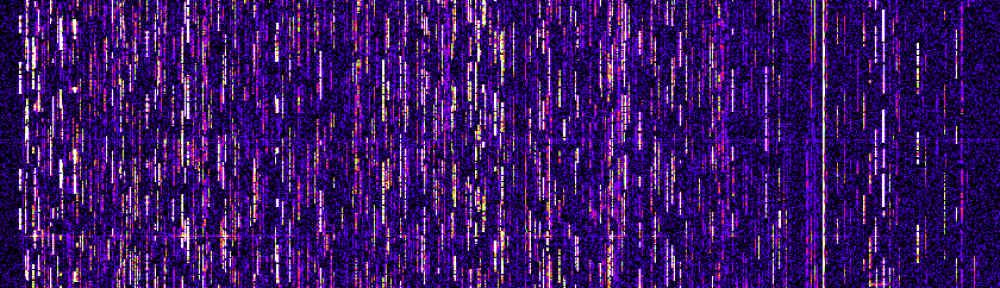
Currently a new draft european standard prEN 50561-1 is widely discussed. Amongst defined notches for amateur radio bands and dynamic notching for shortwave radio stations it also includes raising the allowed levels of PLT signals on mains lines by about 30dB ! This would mean that any SW radio close to such modems will be impossible.
There is a big discussion in forum.darc.de and in hamradioboard. There is the assumption that raising the levels for PLT will cause other electronic manufacturers to claim for higher interference levels as well. In addition future PLT modems will sure also work up to several hundret MHz to get the high bandwiths required for video streaming. This will affect VHF radios, broadcast radio and even TV broadcasting.
Therefore there is a openpetition which allows you to demonstrate your opinion against PLT devices and against this draft european standard:
https://www.openpetition.de/petition/online/schutz-der-ressource-frequenz-vor-elektromagnetischen-stoerungen-durch-plc
Some very interesting background can be found on the pages of the IRT:
http://www.irt.de/de/publikationen/technische-berichte.html
The german body for elaboration of electronic standards DKE will meet today (Oct. 22th) to decide if they will vote for or against this draft standard on european level. Whatever this decision will be it makes sense to vote against PLT in the petition above…
Author Archives: mario
FT-857D filter plaque
I noticed that my FT-857D suddenly had a lack of sensitivity in FM. Looking a bit closer i experienced that only strong FM signals could be received on all bands. The other modes were ok.
Reading a little bit gives an impression what happens. The most common fault seems to be that one of the Toko ceramic filters (one of 3) fails. Usually this is CF1005 which results in low sensitivity and/or crackling noise in AM and FM. For me it was different. No problems with AM. Therefore i expected CF1003 (narrow band FM filter) failed. There is a very good description of the reasons written down by SV8YM.
external link: http://sv8ym.blogspot.com/2010/07/myster…ng-filters.html
Today i disassembled the transceiver and measured the resistance of the filter ports to ground. CF1005 was around 14kOhms both ports, CF1002 around 55kOhm both ports and CF1003 several tenth of kOhms one port and the other 150Ohms only. This causes the pindiode switch to fail which results in very bad sensitivity.
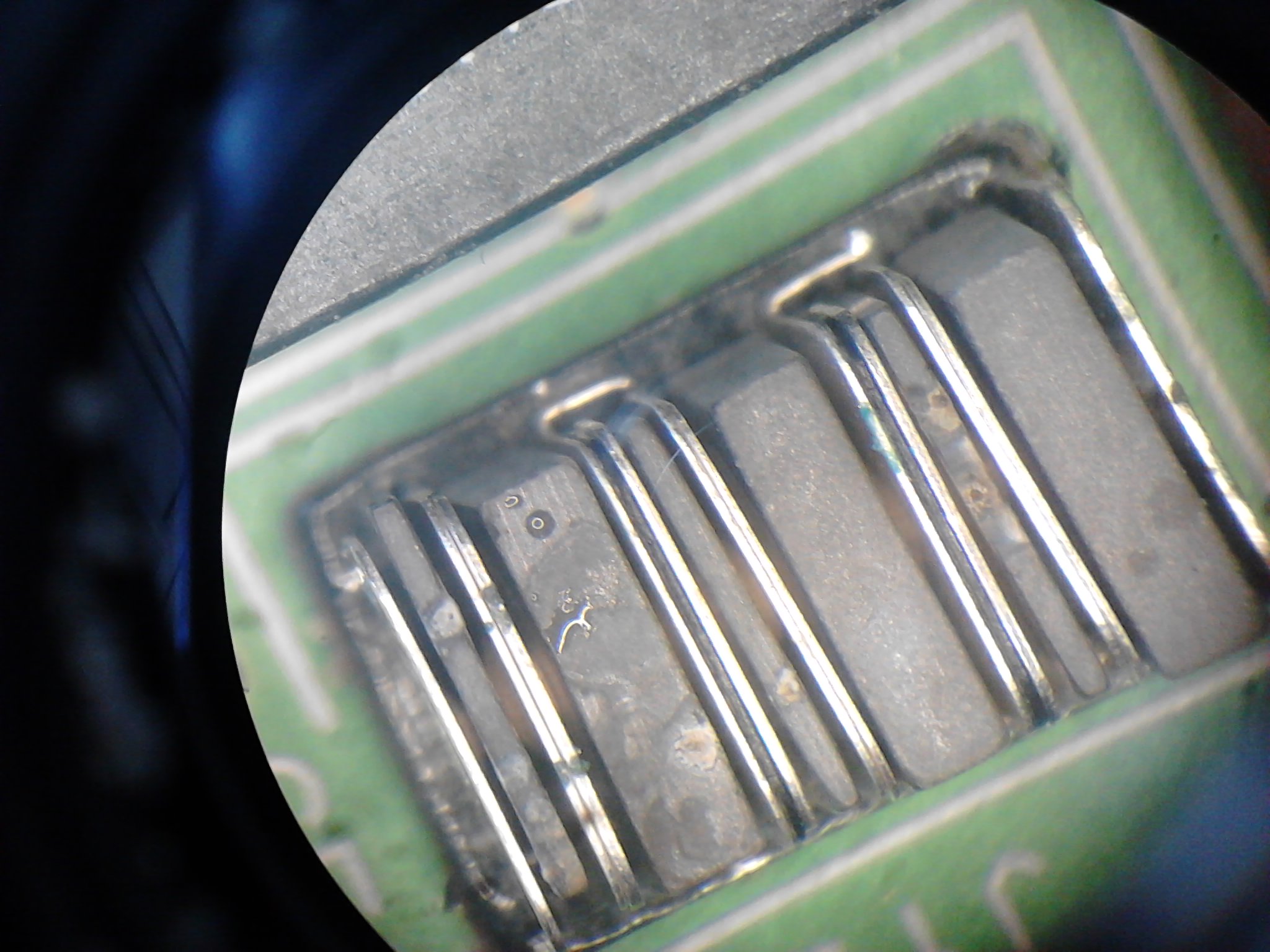
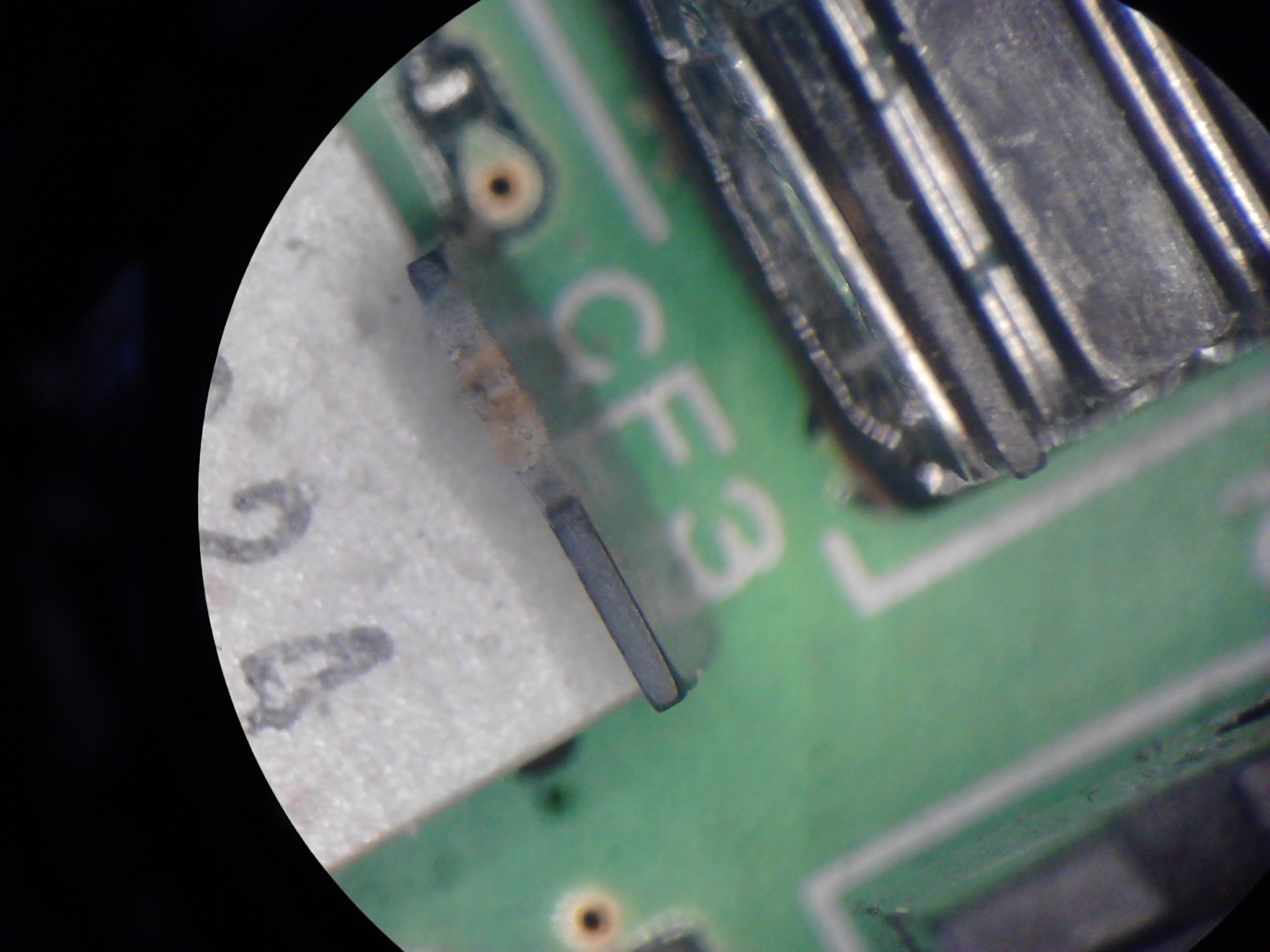
When i tried to disassemble the filter from the board for accident i removed the cap of the filter. Thus i decided to take a close look without removing the filter from the PCB. Find some photos below.
What is visible are the small pieces of material present on the edges of the ceramic plates. This was descibed by SV8YM. One of the plates showed a very big amount of material that forms the short that was measured before. Therefore i removed one plate after each other, cleaned them with a scalpell knife and placed it back to the filter. Special care needs to be taken on the correct position of the small metal plates that contact the ceramic elements with the filters mechanical structure.
After mounting the filter cap again and measuring the resistance it can be seen that it is in normal range again. After assembling the transceiver FM is ok again.
Overall i assume that this repair will not help for a long time because the filter is already damaged. But at least it helps until i collected all necessary spare parts. The problem in general is that the voltage for switching the pin diodes for the RF paths is not decoupled from the filters. DC voltages destroy ceramic filters. This was not taken into account for all filters by the designers of Yaesu. Most probably because of an missing hint in the datasheet of the filter.
I will change the circuit later when replacing the filters.
CF1003 filter cap removed

metalized surface of one of the filter plates
bad crystal on the edge of one of the plates
Measurement of coil saturation and inductance
A nice document that describes the measurement of saturation current of coils and calculating the inductance can be found here:
Attention !! This is an external link, i am not responsible for the content !
http://staff.ltam.lu/feljc/electronics/messtechnik/messung_ferritspulen.pdf
Jean-Paul Feltes wrote a very nice description about how to do it and what needs to be considered. Unfortunately it is in german language only.
This is a picture of a measurement of a selfmade coile with a ferrite core purchased from a big german distributor.
Unfortunately the exact parameters of the core and the air-gap are unknown. Since i have some problems with the saturation of the core in a switched power supply i tried to measure.
The inductance matches what i measured with the network analyzer. The saturation of 2A appears to be quite low. Probably the inductance is choosen too high.
In the picture you can clearly see the point where the coil gets nonlinear because of decreasing inductance when saturating.
Be careful not to switch on the transistor for a too long time and care about sufficient time to get the coil voltage to 0.
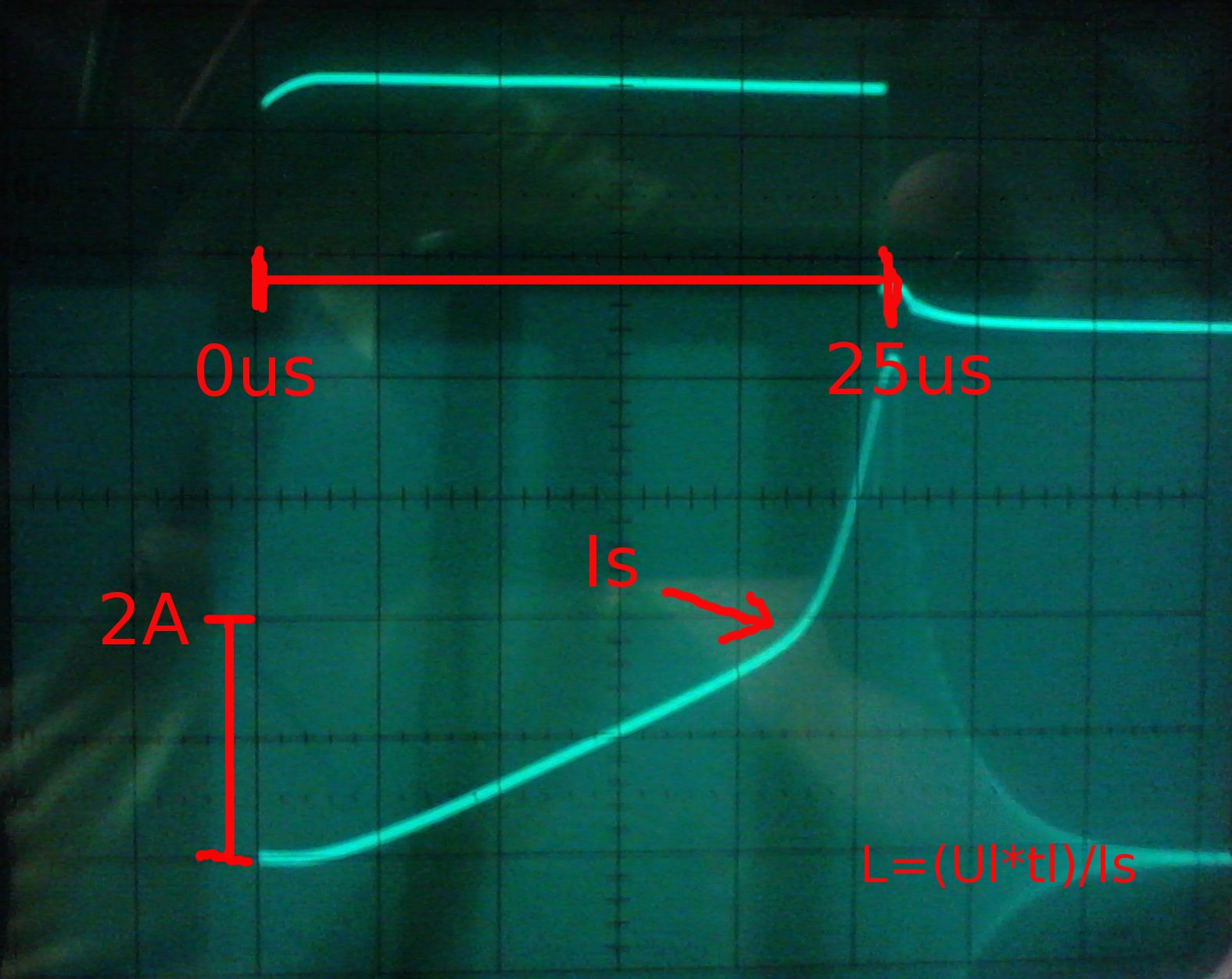
saturation current and switch signal for the transistor
Radios that glow in the dark…
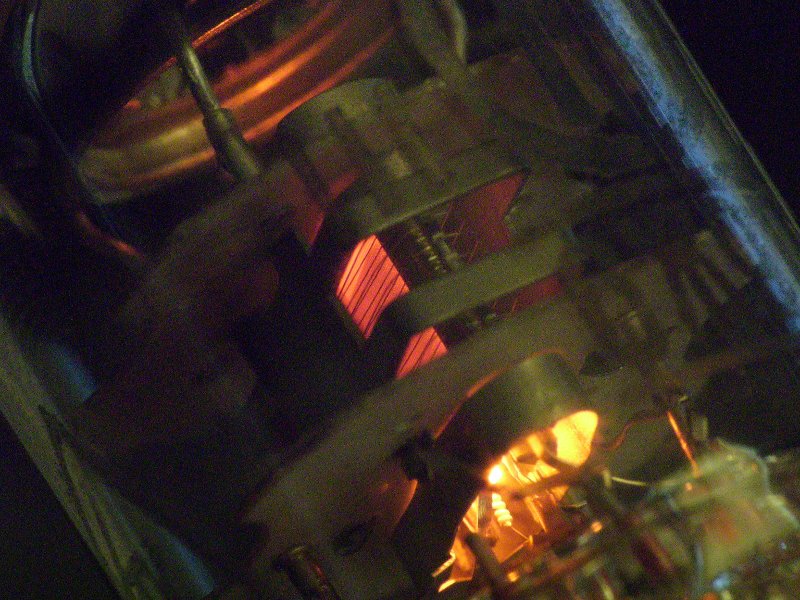
a glowing tube - 6sh9p
TQ2SA relais for RF switching
I tried a cheap TQ2SA SMD relais for RF switching. The circuit was using the 2 switches as one SPDT switch with the unused output connected to ground.
Find some pictures attached. For low power it should be possible to use the relais up to 70cm (ok, 30dB isolation only). On 2m and below it works with good results…
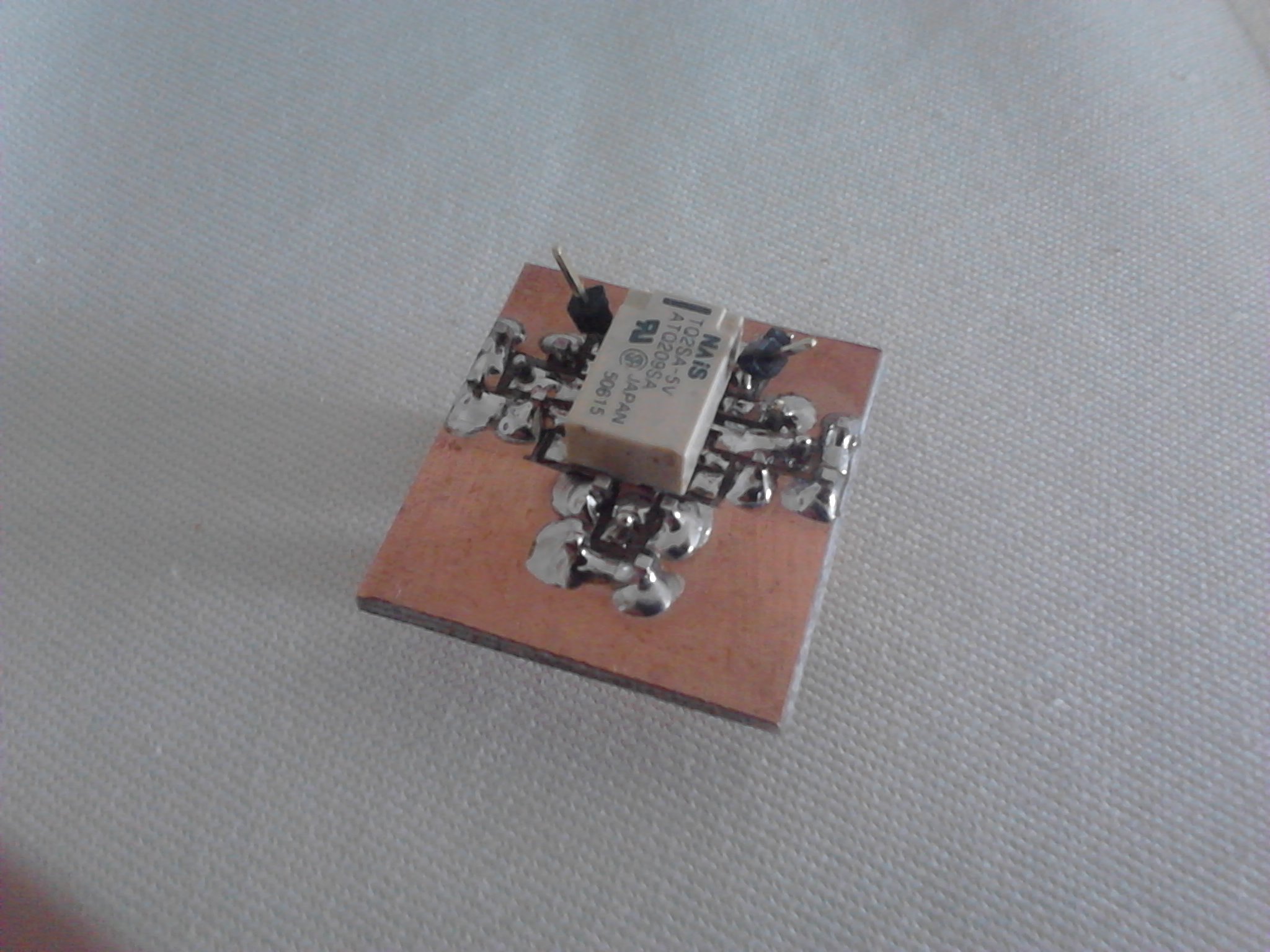
relais side
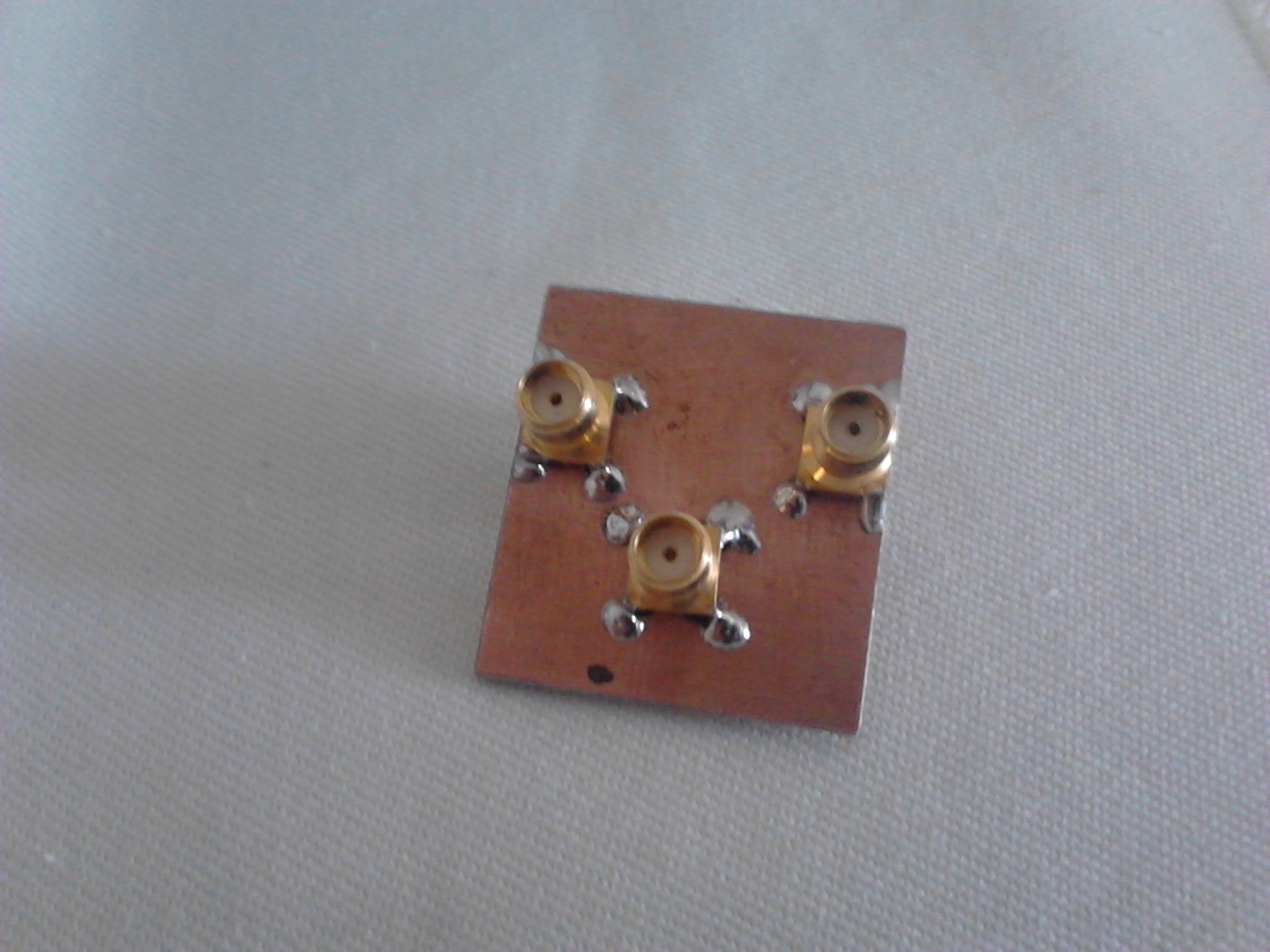
connector side
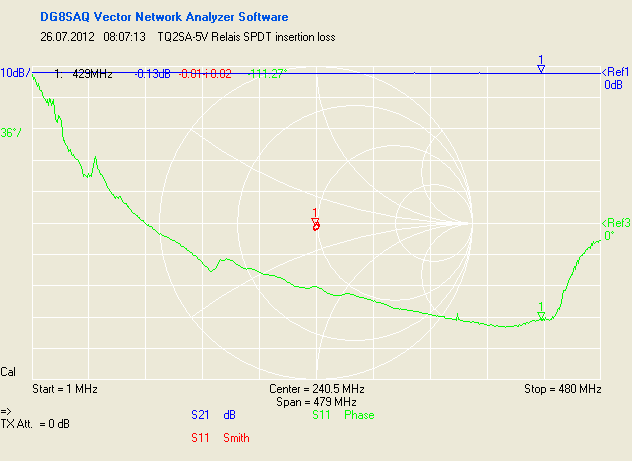
TQ2SA-5V_SPDT_insertion_loss
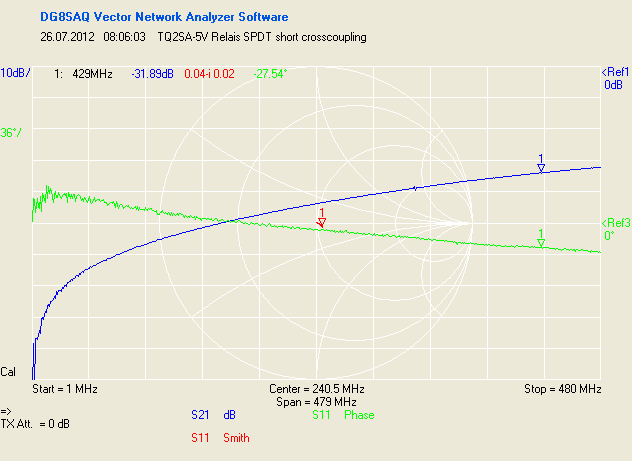
TQ2SA-5V_SPDT_short_crosscoupling
Another 43km Laser trial
During July V/U/SHF contest another 43km laser communication trial with DK5WMA.
Locations were JO60LK and JO60MT during the sunset.
Find a short video taken at my location here:
CQ Loop via Laser de DK5WMA, July 2012, distance 43km

V/U/SHF Contest meets D-Star
There is now a reflector group for V/U/SHF sked alignment especially during contest operation.
You find this on DCS001 reflector module U. Thanks to DG1HT !
http://xrf011.xreflector.net/dcs_info.htm
I will be qrv in this module during July V/U/SHF contest from JO60LK.
Windows-free V/U/SHF Contest
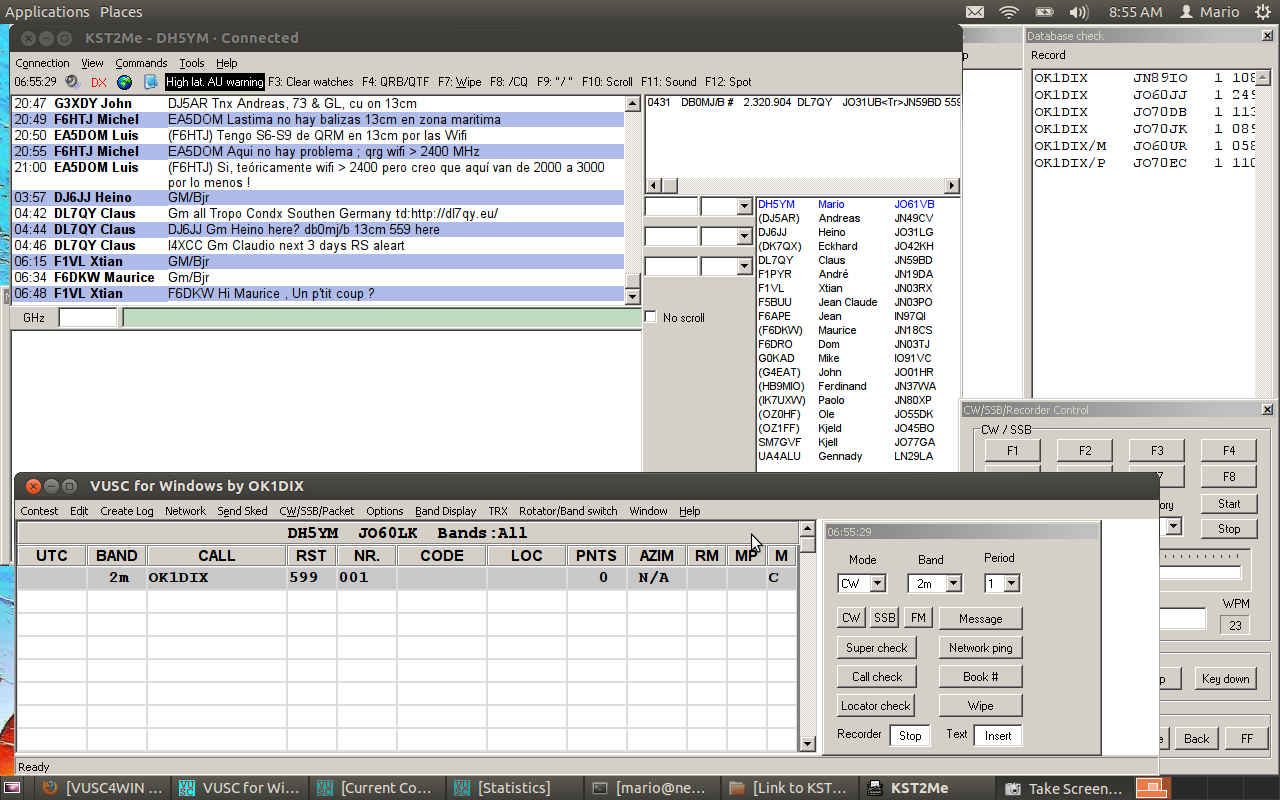
During V/U/SHF contests we use the logging software VUSC from OK1DIX. Is is a multi-operator network based log designed for contest operation. Since my last windows installation got destroyed by a stupid trojan i decided not to install windows anymore. So i tried VUSC under the Wine API emulator and it works very well. VUSC SSB/CW Keyer settings VUSC and KST2Me running under Ubuntu 12.04
Just download the binary here (current version is 6.32): http://www.ok2kkw.com/vusc4win_eng.htm
Install the binary. It should create a start icon on your desktop which is quite unusual for Linux. You can also start it directly from the Wine directory which is /home/
Please refer to the manual from Lada to see how it works.
The only thing that currently does not work is the export of EDI Log files from the internal used .DIX database. The reason is that the windows “copy” commandline tool is used to put some files together. This does not work with Wine for some reason. If you want to export your logs you have still to use Windows or a Windows in a virtual machine. If you find a different way just let me know ;)
VUSC features some very good SSB and CW contest keyer. In order to use this with Wine you need to do some adjustments. You need a serial port with access out of Wine.
I use a USB-serial converter for example. This shows up as /dev/ttyUSB0. Now create a symlink in the directory /home/
This makes a reference for Wine that it should refer to ttyUSB0 if com1 is selected. Take care that your user is in the group “dialout” in order to access the serial port.
Now you may do some settings to select the correct pins and ports for PTT and Key.
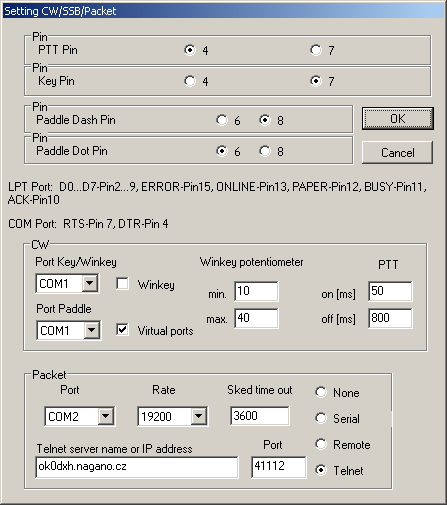
A paddle that is connected to the paddle input pins can be used together with the keyer functionality of VUSC. This works very well. But first try to get the PTT keyed if you press F1 in mode SSB and CW.
One thing you might experience is that the CW keying is weird and the timing of the dashes and dots is completely rubbish. In this case switch off the VUSC internal monitoring tone in the CW/SSB/Packet menue by unselecting “Toggle monitor”. Now the CW from VUSC should be fine.
One more hint: At my PC the PCMCIA-serial adapter from D-Link i usually use did not work. Probably the driver does not support pin toggling although i do not understand why. The USB-serial adapter works fine…
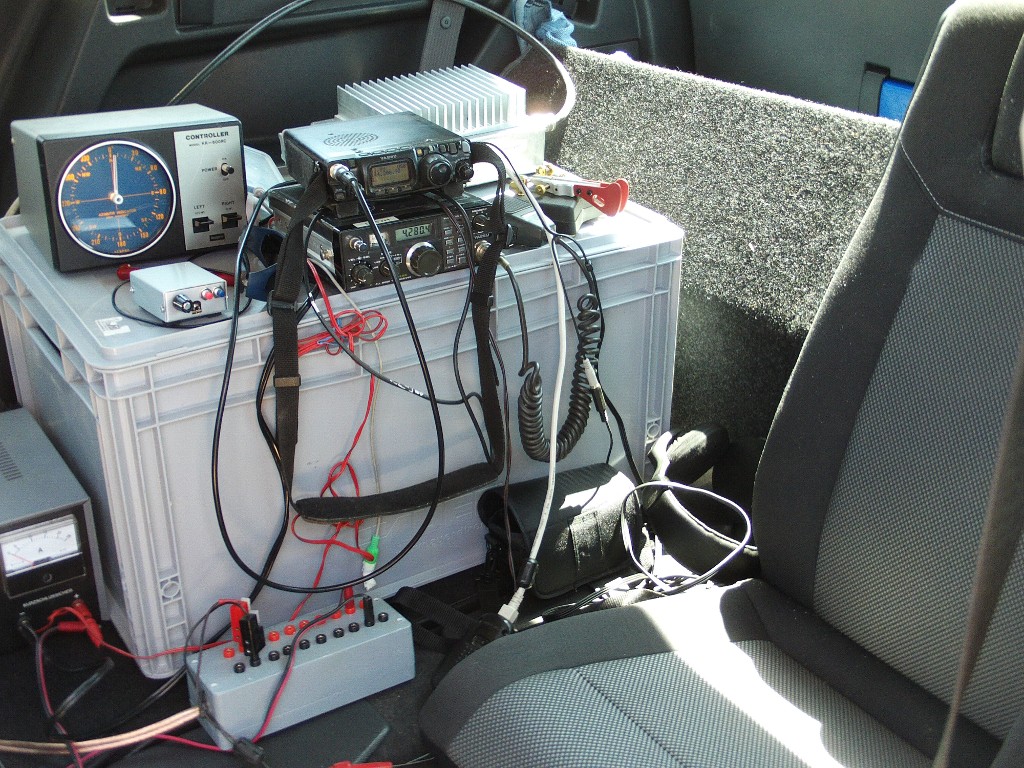
DUR with new mobile shack
May DUR i did with my new mobile shack. GM Opel Zafira. Using one of the 2nd row backseats gives a good place to operate. I also did some tests with the only partly completed 10GHz station (TX with mixer output power only).

DK7FC 136.8kHz longwave beacon
Just for luck i received the CW beacon of DK7FC from JN49IK on 136.8kHz this evening…

DK7FC longwave beacon received in JO61
Video:
reception of DK7FC 136.8kHz CW beacon